Tech Tip Tuesday: Digital Leviathan - How I Learned to Stop Worrying and Organize My Google Drive9/27/2016 I tend to be OCD-level organized when it comes to work and school (not so much in my personal life, but that is a whole other issue for another day). However, I found my Google Drive was never quite up to speed. When Google started letting users share larger files by simply attaching them, I embraced that system change wholeheartedly. I was regularly sharing documents, images, etc. with colleagues and just throwing it all in to my Google Drive, until I realized one day how messy and not user-friendly it had become. So I finally sat myself down and organized the darn thing. Ta-da!! 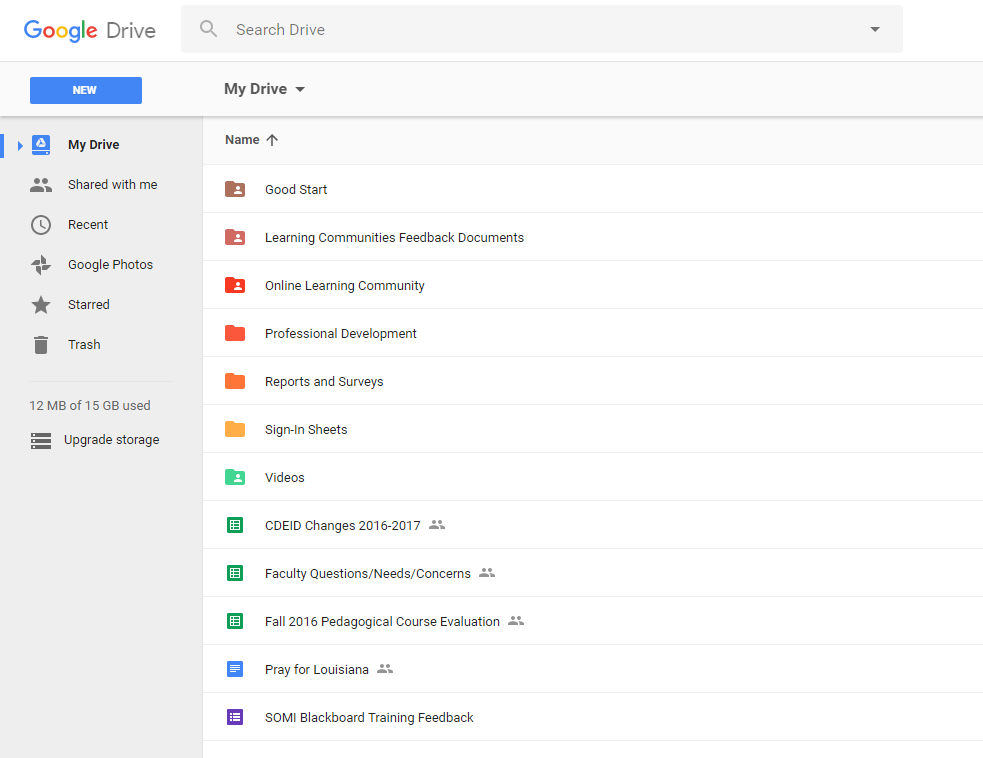 Then I started to wonder what the best way would be to use a well-organized Google Drive in the classroom, and I found this wonderful blog post that I felt really understood the need to hold the chaos at bay with a little Google Drive organization. The post explains how to organize using Google Drive, how to give students assignments and have them share assignments with you, among other great tidbits of help. Check it out!
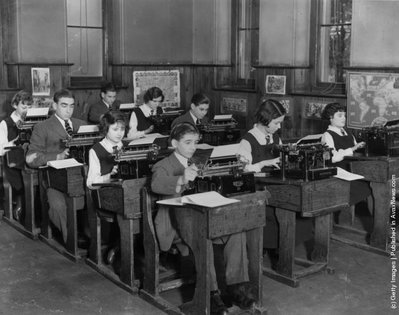 Many of us sometimes feel too connected to and distracted by our devices. This is evident in our classrooms as well. Many educators have started to notice, and feel frustrated by, student distraction in the classroom when it comes to devices. Laptops have become ubiquitous in the classroom and have become a focal point for faculty frustration.
However, banning laptops and other devices is certainly not the answer. We allow our students to use clickers, cell phones, and other devices for limited purposes in the classroom, such as polling, but we do not necessarily guide our students in how to best leverage these tools at their fingertips. In fact, many educators point to studies on the value of taking paper notes. The argument in the studies is that learning improves when we force our students to write out their notes. This practice requires them to think more deeply about their learning and commit more content to memory. That is a valid objection, as is the argument about how distracting devices in the classroom can be to learning. We have all witnessed students with open laptops with multiple browser windows open that often do not have to do with the class content at hand. While I am not concerned about students who prefer to distract themselves from their learning (after all, they are causing themselves a disservice), I am concerned with the distraction to other students who want to pay attention. This frustration with devices has led many faculty to ban technology from the classroom. The argument is the ban will take away all student distractions. The first issue with such a ban is one of accommodation. We have students who require devices for accommodation purposes, and by issuing a general ban on technology, this can call a much-needed accommodation to everyone's attention. This can make students uncomfortable and may cause them to stop using their own accommodation. Instead, we should embrace technology and teach our students how to leverage technology successfully in the classroom. We need to ban the classroom technology ban. We should use technology as an opportunity to engage our students in different ways of learning. We should use technology to expose our students to new information and ideas. We should use technology to help our students learn to collaborate synchronously and asynchronously. Leveraging technology can help teach our students much-needed skills they will use beyond our classrooms. So what we need to do is set ground rules for using technology in our classrooms. Discuss this openly with students. Create a class contract that includes the appropriate use of educational technology in class. Be purposeful in how you teach with technology. Be purposeful in how you ask your students to use technology. Don't ban technology in your classroom. Embrace the opportunity to use technology effectively and support better teaching and learning every day.  Why start a blog, especially one about education? For centuries, writers have investigated various forms of writing that result in new thought. Blogging enables writers to express themselves in ways never experienced before, especially as blogging evolves as a literary form. The interaction blogging enables between writer and reader is visceral.
Blogging is more than an individual enterprise, but a collective one. The connection between content and reader is as important as between writer and reader. Central to the conversation are the links provided by the blog. It drives the reader and the conversation at hand. This open-source market place of thought and writing is ever evolving. The hope is that Eduhuh?! will provide a space driven by reason, will allow those a place where they may raise their voice, and will highlight those who have thus far been forced to disappear into the background of the changes within education. You may agree or you may disagree with what is discussed here. No matter what, I hope you speak up and get involved. Welcome to Eduhuh?! |
Archives
April 2017
Categories
All
|
 RSS Feed
Designer Information
Julie K. Marsh is a long-time educator, a PhD candidate at The College of William and Mary focusing on curriculum and educational technology, and the Coordinator for Distance Education and Instructional Design at Bon Secours Memorial College of Nursing in Richmond, Virginia. Her current research interests include Design Thinking, Community of Inquiry, Massive Open Online Courses (MOOCs), creativity in the classroom, open sourced educational resources, and participatory culture.
Website by Eduhuh Designs (c) 2016 EDUHUH

This work is licensed under a Creative Commons Attribution-NonCommercial-NoDerivs 3.0 Unported License.